Synology RS816
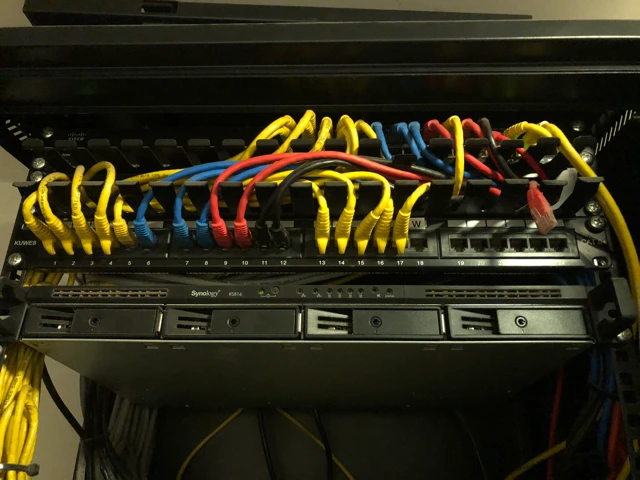
Repository image associated with the Synology RS816 inventory record.
Device Overview
| Field | Value |
|---|---|
| Name | Synology NAS; hostname to be verified |
| Function | Network backup and shared media storage |
| Manufacturer | Synology |
| Model | RS816, based on prior inventory; verify chassis label |
| Serial number | To be verified |
| Asset tag | To be verified |
| Warranty status | To be verified |
| Purchase date | To be verified |
| Physical location | Office rack; exact location to be verified |
| Rack position | To be verified |
Purpose
The storage endpoint historically documented at 192.168.100.250 provided CIFS
storage to Proxmox VE. Treat that address as stale
until recaptured: on July 1, 2026, 192.168.100.250 did not respond to ping
from pve, and 192.168.100.1 identified as Starlink rather than an internal
LAN gateway.
Technical Specifications
| Component | Known value |
|---|---|
| CPU | Manufacturer specification to be verified against chassis |
| RAM | To be verified |
| Storage | Prior record: four 4 TB drives in SHR; live capacity approximately 7.67 TB |
| Network interfaces | To be verified |
| Power | Rack power and UPS connection to be verified |
Architecture
flowchart LR
    PVE["Proxmox pve"] -->|CIFS vm_backup| NAS["NAS address to recapture"]
    PVE -->|CIFS homes/dorothea/Drive| NAS
Configuration
| Share | Proxmox storage ID | Purpose |
|---|---|---|
/vm_backup |
network-backup-syn |
VM and LXC backup target |
/homes, subdirectory /dorothea/Drive |
media |
Shared media/home content |
Management URL, DSM version, account ownership, snapshots, RAID health alerts, email notifications, and current IP address are to be verified.
Operational Procedures
- Check the current address from Proxmox storage configuration and OPNsense DHCP/static mappings before testing reachability.
- Check mounts from Proxmox:
pvesm status. - Review available space weekly; both CIFS targets were about 70% used on June 9, 2026.
- Test a restore quarterly using the backup and restore runbook.
Troubleshooting
- If both CIFS storage IDs fail, check NAS power, LAN routing, SMB service, and credentials.
- If only one storage ID fails, compare its share and subdirectory configuration in
/etc/pve/storage.cfg. - Do not reinitialize disks or change RAID layout during an outage without a verified backup.
Related Systems
References
pvesm statuscaptured June 9, 2026- Prior hardware inventory and repository photographs