Dell OptiPlex 7040
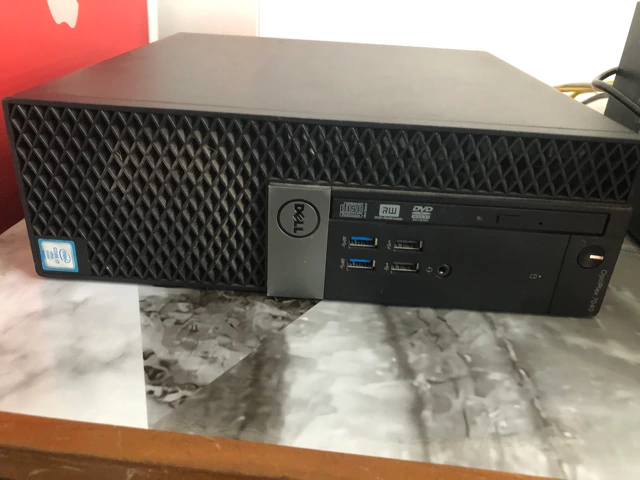
Dell OptiPlex 7040 used as the pve virtualization host.
Device Overview
| Field | Value |
|---|---|
| Name | pve |
| Function | Proxmox VE virtualization host |
| Manufacturer | Dell Inc. |
| Model | OptiPlex 7040 |
| Serial number | HLPLRD2 |
| Asset tag | Not set in firmware; to be assigned |
| Warranty status | To be verified |
| Purchase date | To be verified |
| Physical location | Office server area; exact location to be recorded |
| Rack position | Not rack-mounted; shelf/position to be recorded |
Purpose
This is the critical compute host for the OPNsense firewall VM, the rootless Podman application LXC, and the dedicated Technitium, Caddy, and remote-access LXCs.
Technical Specifications
| Component | Verified specification |
|---|---|
| CPU | Intel Core i7-6700 at 3.40 GHz |
| RAM | 31 GiB usable |
| Storage | 512 GB TEAM T253 SSD; 1 TB WD Blue SSD |
| Optical | PLDS DVD+/-RW |
| Network | 1 onboard Ethernet plus 2-port adapter; Linux interfaces enp0s31f6, enp1s0f0, enp1s0f1 |
| Power | Manufacturer rating and UPS connection to be verified |
Architecture
The onboard NIC carries the VLAN-aware vmbr0 bridge. The two adapter ports provide vmbr1 and vmbr2 for the firewall WAN interfaces.
Configuration
| Field | Value |
|---|---|
| Management IP | 192.168.2.10/24 on vmbr0.2 |
| Gateway | 192.168.2.1 |
| Access | HTTPS on Proxmox port 8006; SSH alias pvessh |
| OS | Proxmox VE 9.2.4, kernel 7.0.14-4-pve; verified 2026-07-17 |
| Dependencies | Power, upstream switching, OPNsense, and storage |
Operational Procedures
- Check host and guest state:
pveversion && qm list && pct list. - Check storage:
pvesm status. - Check disks:
lsblk -o NAME,SIZE,MODEL,SERIAL,FSTYPE,MOUNTPOINTS. - Before shutdown, gracefully stop application guests and confirm the firewall outage window.
- After boot, verify the documented guest startup order.
Troubleshooting
- No management access: check
vmbr0.2, the switch port, and OPNsense DMZ routing. - Guest disks unavailable: run
pvesm status; onlylocalandlocal-lvmwere active on 2026-07-17. Treat older NAS storage names as historical until storage is reattached and verified. - Broad service outage: confirm VM
100and CTs101through106are in their expected states.
Related Systems
References
- DMI, CPU, memory, disk, and NIC data captured June 9, 2026
- Proxmox version, storage, and guest state checked through
ssh pvesshon 2026-07-17