OPNsense Firewall
Lifecycle: Current. VM running state verified 2026-07-17. Guest runtime and interface state last verified 2026-07-02.
Current State
The active firewall is OPNsense, not pfSense.
Verified on June 22, 2026:
- Proxmox VM:
100 router - Historical SSH alias:
ssh router; current documented alias isssh opn - SSH-reported hostname:
OPNsense.internal - Kernel: FreeBSD 14.3 release line as reported by
uname -a - Role: perimeter firewall, router, DHCP/NAT policy point, and DNS enforcement point
The repository still contains pfSense documentation and redacted pfSense exports as historical recovery material. Do not use those references as the source of truth for new firewall changes unless explicitly restoring an old pfSense state.
Validation update on July 1, 2026:
ssh pvesshverified VM100 routeris running.- Proxmox
pvehas192.168.2.10/24onvmbr0.2and its default route via192.168.2.1. - QEMU guest agent is not configured for VM
100 router;qm guest exec 100cannot be used for OPNsense inspection. - From
pve,192.168.2.1resolves at layer 2 to the router VM's virtio MAC, but ICMP/SSH/HTTP/HTTPS to that address were blocked or timed out. 192.168.100.1is Starlink, not the current OPNsense LAN gateway. Do not use192.168.100.0/24as current LAN documentation without a fresh OPNsense export or UI validation.- User-confirmed context: Starlink was moved to bridge mode, and Starlink's
192.168.100.0/24use conflicted with KH3's old internal.100subnet.
Validation attempt on July 17, 2026:
qm listandqm config 100showed VM100 routerrunning.qm agent 100 pingreported that the configured QEMU guest agent was not running.- Both documented OPNsense SSH forms reached
192.168.0.1but authentication failed after too many identity attempts. - Current OPNsense interfaces, version, Dnsmasq state, and firewall rules are therefore Unverified after July 2. Next safe step: correct the approved SSH identity selection or use the authenticated LAN UI/API.
Implemented Migration State
As recorded during the Caddy/Technitium work:
- Active DHCP service is Dnsmasq.
- LAN Dnsmasq DHCP option
6was set to192.168.2.2. - On June 30, 2026, Dnsmasq was also enabled for the DMZ interface so DMZ infrastructure hosts can use DHCP reservations instead of in-guest static IP configuration.
- Technitium at
192.168.2.2resolved internal records such asgit.kh3group.com -> 192.168.2.3. - Public HTTP/HTTPS ingress is intended to terminate on Caddy CT
103at192.168.2.3. - DMZ client DNS bypass is blocked for plain DNS and DNS over TLS. DMZ clients
can query Technitium at
192.168.2.2; Technitium itself is allowed upstream DNS. Practical DNS over HTTPS controls remain a separate endpoint and alias policy task.
Validation update later on July 1, 2026:
- DMZ DHCP leases for CTs
101through105previously carried DNS optiondomain-name-servers 192.168.2.1, not192.168.2.2; each CT had a temporary localdhclient.confsupersede override. - OPNsense Dnsmasq now has DHCP option
6 = 192.168.2.2scoped to DMZ interfaceopt2/vtnet0_vlan2. - CTs
101through105were renewed one at a time. Each fresh lease showedoption domain-name-servers 192.168.2.2,/etc/resolv.confcontainednameserver 192.168.2.2, and the local supersede overrides were removed. - DMZ firewall rules now allow DMZ clients to
192.168.2.2:53/tcp,udp, allow Technitium192.168.2.2upstream DNS, block other DMZ DNS on53/tcp,udp, and block DMZ DNS over TLS on853/tcpbefore the general DMZ internet rule. - The current design intentionally has one policy DNS resolver,
192.168.2.2. The production target is to add a second internal policy DNS resolver on a separate host and advertise both resolvers by DHCP.
Validation update on July 2, 2026 after the Technitium listener repair:
- The immediate DNS outage was not caused by OPNsense. Technitium was running
but only listening on loopback DNS, so DMZ clients using
192.168.2.2saw connection refused. - After Technitium was repaired, CTs
101through105all hadnameserver 192.168.2.2in/etc/resolv.conf, and their DHCP lease history showedoption domain-name-servers 192.168.2.2. - From CT
101,dig @192.168.2.2 git.kh3group.com Areturned192.168.2.3, and public recursion through Technitium returned public answers forpypi.org. - From CT
101, direct DNS to1.1.1.1:53and DNS over TLS to1.1.1.1:853timed out, matching the intended DMZ bypass-blocking policy. - Treat the OPNsense DNS rules as currently valid unless a later UI/export
review shows that the emergency edits changed more than DHCP option 6,
allowing
192.168.2.2:53, blocking other DMZ DNS, and blocking DoT.
Validation and implementation update later on July 2, 2026:
ssh opnprovided working OPNsense SSH access.- Live OPNsense interface state differed from the older redacted export:
ixv0was WAN at100.120.227.147/10,ixv1was WANN at192.168.1.17/24,vtnet0was LAN at192.168.0.1/24, andvtnet0_vlan2was DMZ at192.168.2.1/24. pveat192.168.2.10needed bootstrap DNS for Headscale and hostcloudflared, but the DMZ DNS bypass block correctly blocked direct DNS to8.8.8.8:53.- Two narrow DMZ pass rules were inserted before
Block DMZ DNS bypass:192.168.2.10 -> 1.1.1.1:53/tcp,udpand192.168.2.10 -> 1.0.0.1:53/tcp,udp, both using gateway groupWANGWGROUP. - Backups were kept on OPNsense:
/conf/config.xml.pre-pve-bootstrap-dns-20260702T152446Zand/conf/config.xml.pre-pve-bootstrap-dns-uuidfix-20260702T152540Z. - Validation from
pveshowed1.1.1.1:53and1.0.0.1:53open,8.8.8.8:53still blocked, Tailscale online, and cloudflared registered tunnel connections. pvenow runs a dedicated localhost-only dnsmasq resolver instead of using ordered nameserver fallback in/etc/resolv.conf. The host resolver serves static KH3 bootstrap overrides, includingproxy.kh3group.com,git.kh3group.com, anddocs.kh3group.com -> 192.168.2.3, and forwards other names to1.1.1.1and1.0.0.1.- This is required because plain
/etc/resolv.confdoes not provide split DNS; public resolvers can return public or negative answers for names that must resolve internally, while relying on Technitium would reintroduce the host bootstrap dependency. - Validation from CT
101showed public DNS resolution through Technitium still worked and direct external DNS remained blocked. - Live Dnsmasq config also showed a LAN DHCP option 6 discrepancy:
interface
lanadvertises1.1.1.1while the option description says "LAN clients use Technitium DNS". Do not change this silently; fixing LAN DNS policy is the next batch and should confirm client impact first.
LAN DHCP option 6 fix later on July 2, 2026:
- The LAN Dnsmasq DHCP option 6 value was changed from
1.1.1.1to192.168.2.2, matching its existing description, "LAN clients use Technitium DNS". - OPNsense backup:
/conf/config.xml.pre-lan-dhcp-option6-technitium-20260702T173046Z. - The change was applied through
scripts/opnsense/fix-lan-dhcp-option6-technitium.sh, thenconfigctl dnsmasq restart. - Rendered Dnsmasq validation showed:
dhcp-option=tag:vtnet0,6,192.168.2.2anddhcp-option=tag:vtnet0_vlan2,6,192.168.2.2. - The current LAN policy still lacks the DMZ-style DNS bypass block. LAN clients now receive Technitium by DHCP, but a client can still manually use a public resolver unless LAN firewall rules are hardened in a separate change.
Migration Responsibilities
OPNsense is the policy point for the Caddy and Technitium migration:
- Route LAN, DMZ, VPN, and WAN traffic.
- Hand out Technitium DNS at
192.168.2.2through DHCP where applicable. - Redirect or block client DNS bypass attempts.
- Block or control DNS over TLS on
853/tcp. - Maintain practical DNS over HTTPS controls using aliases, blocklists, and endpoint/device policy.
- Forward public HTTP/HTTPS traffic to Caddy after Caddy is deployed.
- Restrict admin surfaces such as Technitium console, Dozzle, and Adminer until OIDC, VPN, or source-IP rules are validated.
- Preserve break-glass access for approved admin and recovery hosts.
See Caddy and Technitium Migration for the staged plan.
Installation and upgrade orientation
Use these official screenshots to recognize the recovery interfaces. They show generic OPNsense documentation examples, not the KH3 firewall or its current configuration.
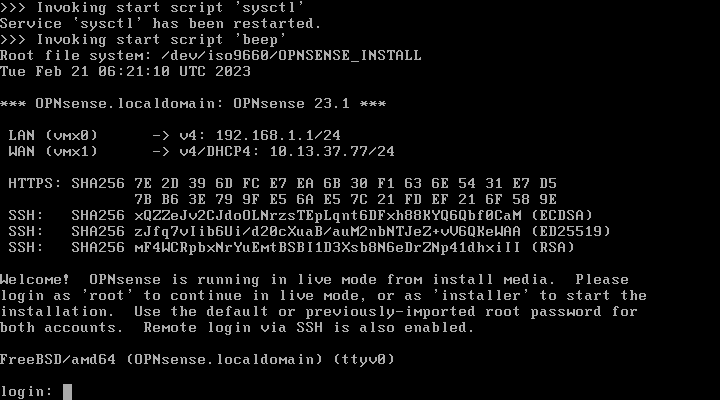
The live environment confirms interface addresses and exposes console, web, and SSH recovery paths. Do not use the example addresses as KH3 values.
For a clean reconstruction:
- Obtain the current full installation image and verify its checksum.
- Export and protect a complete configuration outside this repository.
- Provide local or Proxmox console access before taking the firewall down.
- Boot the live environment and confirm interface assignment before invoking the installer.
- Restore a complete compatible configuration, remap interfaces if prompted, and validate LAN, DMZ, both WAN paths, DHCP, DNS policy, NAT, and Caddy ingress.
- Keep the prior VM disk or backup until the restored firewall passes the complete validation set.
For an upgrade, use System → Firmware → Updates only during an approved client-impact window:
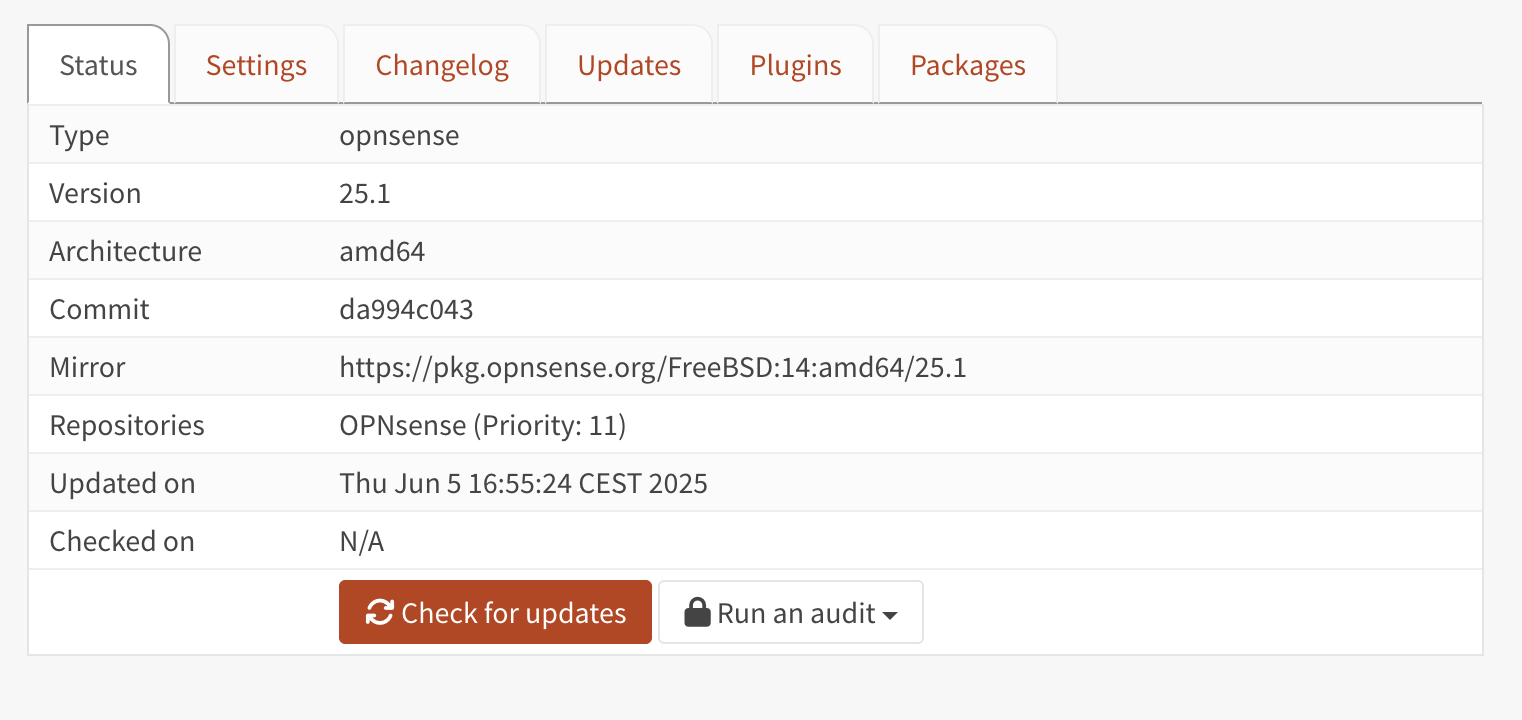
Official OPNsense firmware page example. Record the installed and offered versions before applying an update.
Back up first, review release notes and plugin compatibility, then validate gateways, DHCP/DNS, firewall policy, ingress, and remote access. Restore the prior configuration or VM backup if the upgraded system cannot pass those checks.
Change Rules
Before changing OPNsense:
- Export the current OPNsense configuration from the UI.
- Store raw exports outside the documentation repository.
- Redact any shareable export before committing it.
- Change one alias, NAT rule, firewall rule, DHCP option, or port forward at a time.
- Validate gateway health, DNS, Caddy ingress, and CT
101app reachability after each change. - After DHCP reservation changes, verify reserved DMZ services still hold the
expected addresses, especially Technitium at
192.168.2.2.
Validation
From the administration workstation:
ssh pvessh 'qm list | grep router'
ssh pvessh 'qm config 100'
Use ssh opn 'hostname; uname -a' only when the approved key path is working.
Do not fall back to VM disk edits.
After Technitium is live:
dig @192.168.2.2 example.com
dig @1.1.1.1 example.com
nc -vz 1.1.1.1 853
The direct Technitium query should succeed. External DNS and DoT tests should be blocked from DMZ clients unless the source is the Technitium resolver itself.
If LAN clients report "no internet" but direct IP tests work, check DNS first. During the June 30, 2026 Dnsmasq DMZ/reservation change, the failure mode was:
- OPNsense gateway
192.168.2.1was reachable. - Public IP connectivity, such as
1.1.1.1, worked. - Queries to
192.168.2.2:53timed out. - CT
102 technitium-dnswas running but had lost its expected IPv4 address.
Restoring the Technitium reservation/address restored DNS for clients using
DHCP option 6 = 192.168.2.2.
During the July 2, 2026 Technitium listener failure, the failure mode was:
- DHCP and
/etc/resolv.confcorrectly pointed DMZ clients at192.168.2.2. - Technitium answered on
127.0.0.1:53inside CT102. - Technitium did not answer on
192.168.2.2:53, causingconnection refusedfor DMZ clients. - Repair was made on CT
102, not in OPNsense.
If DMZ hosts have IP connectivity but package installs or name lookups hang,
check the lease for option domain-name-servers 192.168.2.1. That indicates
the DMZ Dnsmasq option 6 setting is still missing or not applied.